
Restaurant365 is the most talked-about software in restaurant operations right now, and for good reason. It promises real-time food costs, clean inventory, accurate payroll, and financial reports you can act on. But here’s what no one tells you upfront: the software doesn’t fix anything on its own. What matters is how it’s built.
This guide breaks down what R365 actually is, why operators are leaving QuickBooks and disconnected systems behind, and what a proper implementation looks like in practice.
What Is Restaurant365 (R365)?
Restaurant365, known as R365 in the industry, is an all-in-one restaurant management platform built specifically for the food and beverage business. It’s not a generic accounting tool that someone adapted for restaurants. It was designed from the ground up with the restaurant P&L in mind: ingredient-level food cost, period-based inventory, vendor invoice management, labor scheduling, and payroll, all connected under one roof.
That last part matters more than it sounds. Most restaurants run their operations across several disconnected systems: an accounting platform, a scheduling app, a POS, and a spreadsheet someone built three years ago that now only one manager knows how to update. R365 pulls all of that into a single data environment, which means when you pull a financial report, everything in it is pointing to the same numbers.
More than 50,000 restaurants use R365 across the country. That adoption speaks to how well the software is built, but it also means there are a lot of operations running on R365 right now where the implementation was rushed, the data was never cleaned up, and the reports still don’t reflect reality. The platform is only as good as what’s inside it.
4 Things R365 Is Built to Do
Accounting: R365 handles all restaurant-specific accounting like period-based financials, accounts payable, bank reconciliation, and real-time P&L reporting. Because it pulls data directly from your POS and vendor invoices, it eliminates most of the manual data entry that causes errors in a traditional accounting setup.
Inventory and Purchasing: R365 tracks ingredient-level inventory, manages vendor relationships, processes invoices, and compares what you theoretically should have used against what you actually used. When it’s set up correctly, this is where operators find the holes in their food cost — the waste, the portioning inconsistencies, the vendor pricing changes that quietly eat into margins.
Workforce Management: Scheduling, labor forecasting, and time and attendance all sit inside R365. Labor cost connects directly to the P&L, so operators can see in real time whether a shift is running over budget before it closes.
Payroll and HR: R365 handles multi-rate payroll, tip pooling, compliance calculations, and onboarding. Because it shares data with the scheduling and accounting modules, labor reconciliation isn’t a separate process, it happens automatically.
Why Restaurants Are Moving to R365
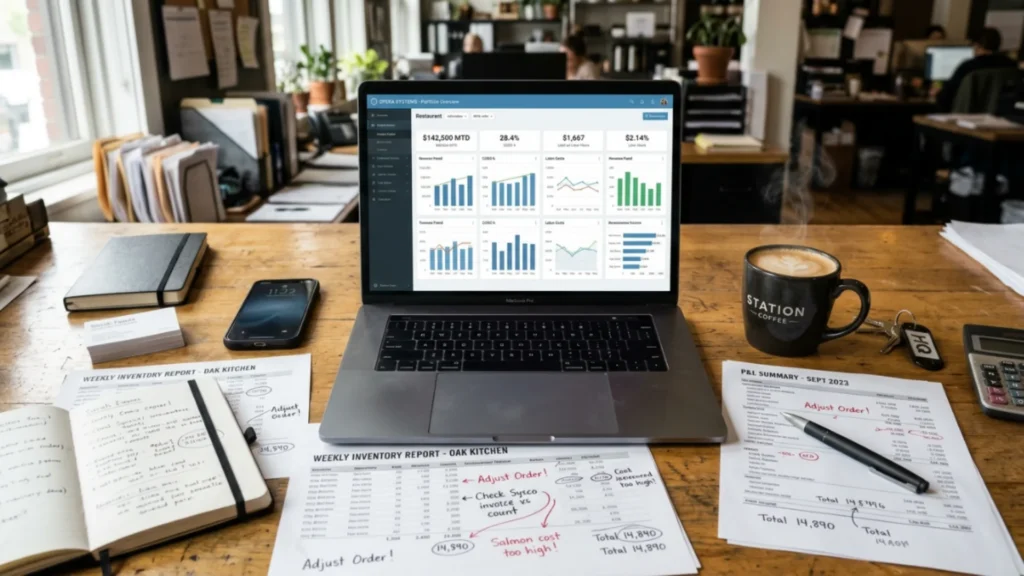
The real reason operators switch isn’t excitement about software. It’s pain. They’re done reconciling three different spreadsheets. They’re tired of their COGS number being a guess. They need one place where the POS data, the vendor invoices, and the labor hours all connect, and where the answer they get doesn’t change depending on which system they’re looking at.
3 Most common triggers behind a switch to R365 are consistent across restaurant types and sizes.
The Spreadsheet System Is Breaking
When a restaurant has one location and a small team, a well-maintained spreadsheet can keep things together. When it gets to two or three locations, it starts to crack. Different managers are counting inventory differently.
Purchase data isn’t syncing across locations. The ‘system’ that worked at one unit is now producing four different COGS numbers that don’t agree with each other. R365 gives multi-unit operators one data environment where everything lives — and where variances show up in the same report, not buried in different files.
COGS Is Off and Nobody Can Find the Source
This is the most common trigger we see. An operator knows their food cost is running 3-4 points higher than it should be, but they can’t trace it. The invoices look right. The inventory counts seem close. The problem is usually upstream, in how recipes are costed, how vendor items are mapped, or how purchases are being allocated in the system. R365 gives operators the infrastructure to find those gaps. But only if the data going into it is clean.
Management Time Is Being Wasted on Reconciliation
Closing the books shouldn’t take a week. Inventory shouldn’t require three people and a day of counting. When operators describe their current process and it involves exporting data from one system, formatting it for another, and then manually checking the math, that’s the moment R365 makes the most sense. The platform automates the reconciliation that’s eating hours of management time every period.
What Operators Expect vs. What They Get
Here’s the part most software guides skip. Operators often go live on R365 expecting the numbers to be accurate from day one. They’re not… not automatically. The platform is a framework. It produces accurate data when the framework is filled with accurate inputs: correctly built recipes, clean vendor and item data, properly configured reporting structures, and managers who know what they’re looking at.
When those things aren’t in place, and they often aren’t after a standard implementation, operators look at their first R365 P&L and their COGS is still off. Their inventory still doesn’t reconcile. Their managers pull the reports and don’t trust them. The software gets blamed, but the problem is the setup.
What a Proper R365 Implementation Actually Looks Like
A proper R365 implementation isn’t a data migration. It’s a build, and it requires decisions at every step that directly affect the accuracy of the numbers the platform produces.
Here’s what has to happen for R365 to work the way it’s supposed to.
Recipe Costing Built Out with Real Units of Measure
Every recipe in your system needs to be mapped to the actual unit your vendor sells, not a generic ‘portion’ or ‘each.’ If a recipe calls for salmon and your vendor invoices by the pound, the recipe needs to be costed per pound. When that mapping is wrong, your theoretical food cost is wrong, and no amount of inventory counting will surface the real problem. Recipe build-out is the foundation of everything else in the system.
Vendor and Item Data Cleaned Before Go-Live
Most restaurants carry years of vendor history that include duplicates, old items that were never deactivated, and pricing that hasn’t been updated. When that data migrates into R365 without cleanup, the system inherits all of those errors.
An item purchased under two different names in two different locations will show up as two different cost lines — and your category-level COGS reporting becomes unreliable before you’ve run a single period. Cleaning the item master before go-live isn’t optional. It’s the difference between a system you trust and one you don’t.
AP and Reporting Configured for Your Operation
R365 has a lot of reporting flexibility, which means there are a lot of ways to configure it incorrectly. Your chart of accounts needs to reflect how your operation actually categorizes costs. Your period structure needs to match how you close the books. Your AP workflow needs to match how your team processes invoices.
When these things are set up by someone who has never run a restaurant, they’re set up to make sense to an accountant, not to a general manager trying to read a P&L at 11pm.
Managers Trained on What to Look at (Not Just How to Log In)
Software training usually covers navigation. It shows managers where to click, how to run a report, how to enter a count. What it doesn’t cover is what those numbers mean, and what to do when something looks wrong.
The managers who actually use R365 daily are the ones who understand what a food cost variance is telling them and feel confident enough to act on it. Training that doesn’t get to that level of understanding produces managers who log in when they have to and ignore the system when they don’t.
How to Know If Your R365 Setup Is Working
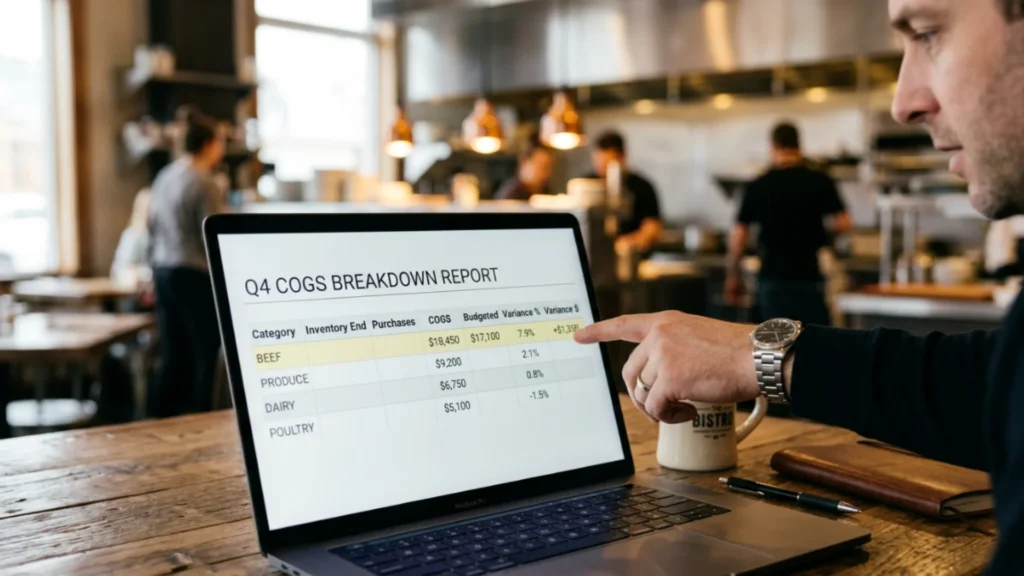
You shouldn’t have to guess whether your R365 implementation is working. Here are the signs that it is and the signs that something needs attention.
- Signs Your Setup Is Clean
Your COGS percentage matches your actual food spend within a reasonable variance — not perfectly, but consistently. Your managers check the reports on their own because the numbers make sense and they know how to use them.
Inventory reconciles without a round of manual corrections each week. When a cost spikes, you can drill into a specific ingredient, vendor, or location within five minutes and find the cause. The system is telling you things you can act on.
- Signs Something Is Off
Your COGS fluctuates significantly from period to period without a corresponding change in sales volume or menu mix. Your managers say the reports ‘seem off’ but can’t explain why. You find yourself reconciling the same variances month after month.
Recipe costs don’t match what you’re actually paying on vendor invoices. These aren’t R365 problems, they’re implementation problems, and they’re fixable.
R365 Support for Colorado Restaurants and Operators Across the US and Canada
Restaurant Smith provides operator-led R365 implementation and support built by someone who has run multi-unit operations, not just configured software. In-person services are available throughout Colorado. Remote implementation and support services are available for operators across the United States and Canada.
If your R365 system isn’t producing numbers you trust, the problem is almost always in the setup, and it’s fixable. That’s exactly the work we do.
Restaurant365 is the Strongest Tool Built for Restaurant Operators
It manages food cost, inventory, and operations in one place. But the software doesn’t run itself, and a go-live date isn’t the same as a working implementation. The restaurants that get the most out of R365 are the ones that treated implementation as the critical phase, not the afterthought.
If your COGS is off, your inventory won’t reconcile, or your managers have stopped trusting the reports, the software isn’t the problem. The setup is. And unlike a lot of things in restaurant operations, that’s something you can actually fix.
Ready to build an R365 system that actually reflects what’s happening in your kitchen? Schedule a free discovery call. We’ll look at where your R365 setup stands and tell you exactly what it needs.
