
Two restaurants buy Restaurant365 the same month. Same package, same onboarding, similar size. Ten weeks later, one is running weekly variance reports and catching cost problems before period close. The other is still exporting everything to Excel because nobody trusts what the system says. Same software. Completely different outcome.
The difference wasn’t the platform, and it wasn’t the vendor. It was what happened in the six weeks before go-live.
What Separated the Two Implementations
Let’s call them Restaurant A and Restaurant B. Both composites, both built from patterns we see constantly.
The difference between a working R365 build and one that sits half-used is almost never the software. It’s whether recipes, units of measure, and manager training were finished before go-live, not scheduled for “after we get up and running”.

That phrase, by the way, is the single most reliable predictor of a failed implementation. Nothing gets finished after you get up and running. You get busy. A patio opens. Someone quits. The half-built system becomes the permanent system.
Restaurant A’s prep work
Restaurant A’s owner did something that felt slow at the time. Before kickoff, she assigned owners to each piece of the data.
Her bookkeeper rebuilt the chart of accounts so it matched how the restaurant actually reported — not the generic template, and not the one inherited from a previous accountant who’d never worked in hospitality. Her chef spent three weeks documenting recipes that had been living in his head, including trim yields on proteins, which he’d never written down because he’d never needed to.
She pulled twelve months of invoices and had someone clean the vendor list: duplicates merged, units standardized, dead items killed. It was tedious and nobody enjoyed it. It also meant that when the item master got built, it got built once.
Then she did the part almost nobody does. She sat her two GMs down and told them, plainly, that inventory counts were going to change and they were going to be trained on the new process before the system went live, not after, and not by watching a recorded webinar on their day off.
Go-live week was unglamorous. Which is the point.
Restaurant B’s shortcuts
Restaurant B’s owner was equally serious about the investment. He just made a reasonable-sounding decision: get the system live fast, sort out the details as they go.
So recipes went in approximate. Yields defaulted to 100% because nobody had time to test them. The vendor list got imported straight from the last twelve months of purchase history, duplicates and all, three separate entries for the same case of chicken, each with a slightly different name and unit. Managers got a one-hour overview call the week of launch, in the middle of a Friday.
The system worked. Reports generated. Invoices posted. Nothing broke loudly.
But the COGS numbers came back wrong, and because nobody could explain why they were wrong, the managers stopped opening them. Within two months they’d rebuilt their old Excel sheets alongside the system. Now the restaurant was paying for R365 and doing the work manually. A year in, the owner assumed the software had failed him.
The software was fine. It was faithfully reporting garbage, because that’s what it was given.
The Checklist, Pulled from What Actually Worked for R365 Implementation
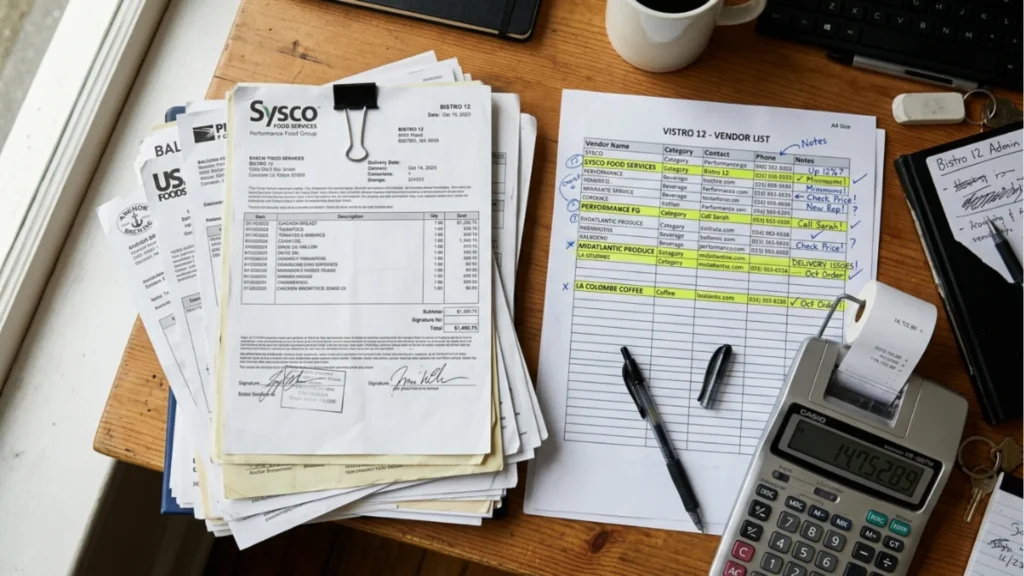
Here’s Restaurant A’s prep, broken into what you can actually assign.
- Data prep
Six inputs determine whether your reports will ever be trustworthy. Every number you pull for the next five years inherits their accuracy.
Chart of accounts. Restaurant-specific, mapped to how you actually want to read your P&L. Fix it now; restructuring later means your historical comparisons break.
Vendor list. Deduplicated, with consistent naming. One item, one entry.
Item master with correct units of measure. This is the one that breaks the most implementations. Every item needs its purchase unit, its inventory unit, and its recipe unit, with correct conversions between all three. Get this wrong and every costed plate is wrong, permanently and invisibly.
Recipe library. Costed, with realistic yields. Not theoretical yields — tested ones. If your tenderloin trims to 68%, the recipe needs to say 68%.
POS item mapping. Every button on your POS needs to point at a recipe. Unmapped items mean sales without corresponding cost, which quietly deflates your theoretical food cost.
Location hierarchy. Straightforward for one location. If you’re multi-unit, decide now how you want to roll up and compare, because changing it later is painful.
If your existing data is a mess and if you’ve been open more than a couple of years, some of it is — this is where data cleanup and COGS repair does the heaviest lifting. Cleaning before migration is dramatically cheaper than fixing after.
And if recipes are the bottleneck, they usually are. A full recipe costing build is front-loaded work that pays back every single period afterward.
- People prep
Software doesn’t fix restaurants. People using software fix restaurants.
Decide before kickoff who owns inventory counts, who enters invoices, who closes the period, and who’s allowed to add new items to the system. That last one matters more than it sounds, uncontrolled item creation is how a clean item master becomes a messy one within six months.
Then get your managers into real training. Not a recorded overview. Hands-on, in your system, with your menu, ideally with the person who built it. Managers who understand why a count is done a certain way will do it consistently. Managers who were handed a login will do it however seems reasonable that night. Manager training and onboarding is the step most often cut for budget, and it’s the one that determines whether any of the rest gets used.
- Process prep
Set your period-end cutoff for invoice entry and hold to it. Nothing distorts food cost more reliably than invoices landing in the wrong period.
Standardize count sheets, in defined units, in the order someone actually walks the walk-in. Decide what your close looks like week to week — who does what, in what order, by when.
And agree on what “done” means. Not “the system is live”. Done is: you’ve closed one full period end to end, reconciled it, and the number matched what you expected. Until that’s happened, the implementation isn’t finished.
Where Implementations Most Often Stall & the Fix at Each Point

Stall one: the item master takes longer than anyone budgeted. It always does. The fix is to scope it honestly up front rather than discovering it in week four and rushing. If it’s too big for your team, hand it off — this is exactly what an operator-led R365 implementation is for.
Stall two: recipes go in “for now”. There is no for now. Cost your top 20% of movers properly before launch and finish the tail after. Approximate everything and you’ll never know which numbers to trust.
Stall three: training gets pushed past go-live. Once service resumes at full speed, the training window closes. Do it before, even if it means delaying launch two weeks.
Stall four: nobody reconciles the first close. The first period is your proof. If nothing gets checked end to end, errors from setup live in the system indefinitely and surface months later as “the software doesn’t work.”
Stall five: the project has no internal owner. Someone on your team has to own this, with time protected for it. An implementation without an internal owner drifts, regardless of how good the partner is.
That’s How Implementing R365 Is Important
Restaurant A and Restaurant B bought the same thing. One got a system her managers trust enough to act on. The other got a subscription and a spreadsheet habit.
The gap was six weeks of prep work that felt like a delay and turned out to be the entire implementation. Clean data, trained people, agreed process. Do those three things before kickoff and R365 does exactly what it promises. Skip them and you’ll spend a year wondering why the numbers feel off.
Getting ready to implement R365, or restarting one that stalled? Talk to Restaurant Smith. We’ve worked the shifts, and we build systems your managers will actually use.
